28 Feb 2020
I want the same experience independent of the platform I’m using. For this reason, I’m a die-hard Vim fan. With mosh and FiraCode life is good. On Windows, it has been a challenge to have an excellent vim experience.
Issues with Visual Studio Code:
- Vim plugin didn’t work how I wanted. For example: I couldn’t hit
5{tab} to indent a block.
- The clipboard didn’t work sometimes. (I still can’t explain it.)
- Multiple histories (vim and & Visual Studio Code) means that undo and redo operations are messy.
- No relative line numbers making it hard to quickly do
5dd or something when I want to move a code block.
- I love splitting windows, but don’t like navigating through tabs.
Several months ago, I started looking for solutions around Neovim, but I had trouble finding something that would support FiraCode’s ligatures. Neovide looked like a possible solution, but there were a few challenges. The biggest one is that it won’t run on my home computer (it builds, but no errors).
I started looking at other solutions.
- Running vim through WSL. Disk, i/o with WSL, is usually too slow, and I want to access my local filesystem without symlinks. Additionally, I can’t open Ubuntu in the windows store and don’t want to troubleshoot it.
- NeovimGTK’s windows build. While the binary available ran, it wouldn’t display ligatures. I spent a lot of time trying to build it from source with MSYS2 & GTK, but on step 144/145, I always saw this error:
fatal error LNK1181: cannot open input file 'gtk-3.lib' msys2
There’s a broad spectrum of possible solutions to get vim working with FiraCode (WSL, building Linux apps on windows, etc…), but in the end here is what I found to work the best.
A week ago, Microsoft released the preview of Windows Terminal. FiraCode works in Windows Terminal with the following settings:
{
  ...
  "profiles": {
    "defaults": {
      // Put settings here that you want to apply to all profiles
      "fontFace": "Fira Code Retina",
      "fontSize": 10,
      "background": "#141414" // Hide the ugly blue.
    },
    ...
  }
  ...
}
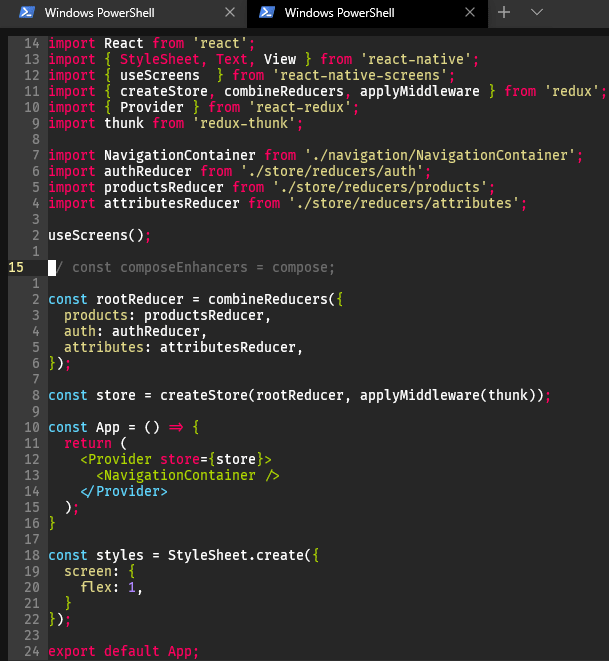 Windows Terminal experience.
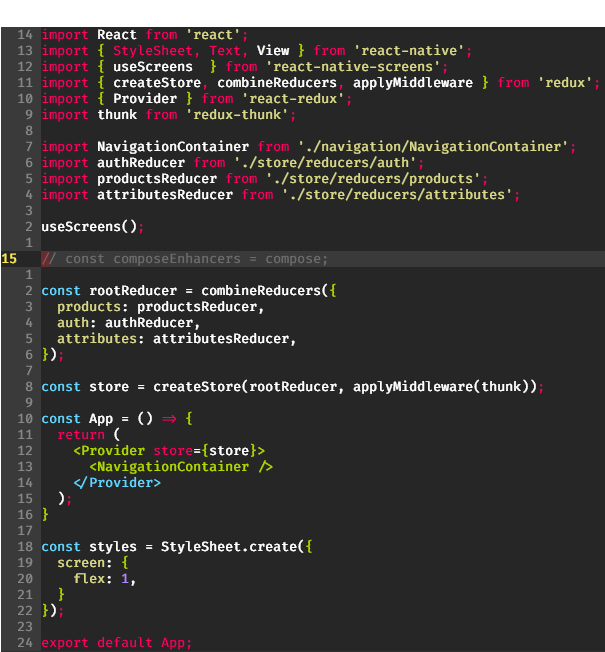 Chrome store Mosh client connected to VPS.
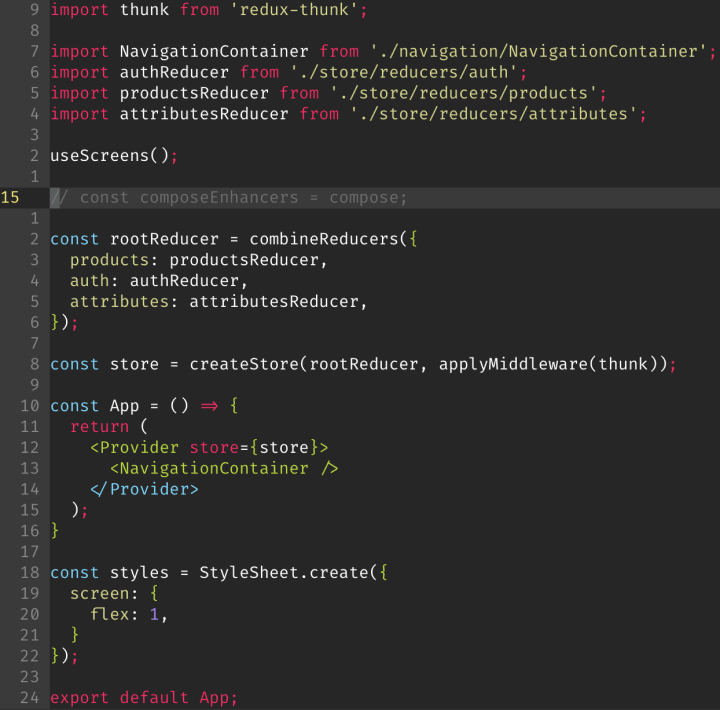 Blink on an iPad connected to VPS. (Retina screens are so nice…)
21 Feb 2020
My original implementation for rendering for a single tile was causing performance issues. It was slow because whenever the client added a row (scrolling to the next row/column), there was some lag as it read the 250kb image from the cache for each new tile. This caused my game to drop frames unless the entire (small) map was already on screen. The offending code was something like this:
MapTile.js
import React from react;

export const MapTile = props => (
  <div
    style={{
      // ...
      background: `url(${props.tileset})
        -${props.tileX * TILE_SIZE}px
        -${props.tileY * TILE_SIZE}px`,
    }}
  />
);
I send a Tiled map from the server to the client. These maps use tilesets, which are large images with hundreds of tiles, so I wanted to implement CSS sprite sheets inside of a React component.
My final solution is this:
- Create a CSS file containing all of the tileset names used in tiled. For example:
MapTile.module.css
.tilea {
  background-image: url(/assets/tilea.png);
}
- Assign the class to the div that holds the tile sheet and only explicitly specify the backgroundPosition with inline styles.
import React from 'react';
import styles from './MapTile.module.css';

export const MapTile = props => (
  <div
    className={styles[props.tileset]}
    style={{
      // ...
      backgroundPosition: `-${props.tileX}px -${props.tileY}px`,
    }}
  />
);
See it in action on YouTube
19 Feb 2020
Twenty years ago, I was an exchange student in Japan. I was in the countryside, and my host family didn’t have the internet. In the evenings, I developed a simple online RPG, called Aspereta, in VB6 and DirectX.
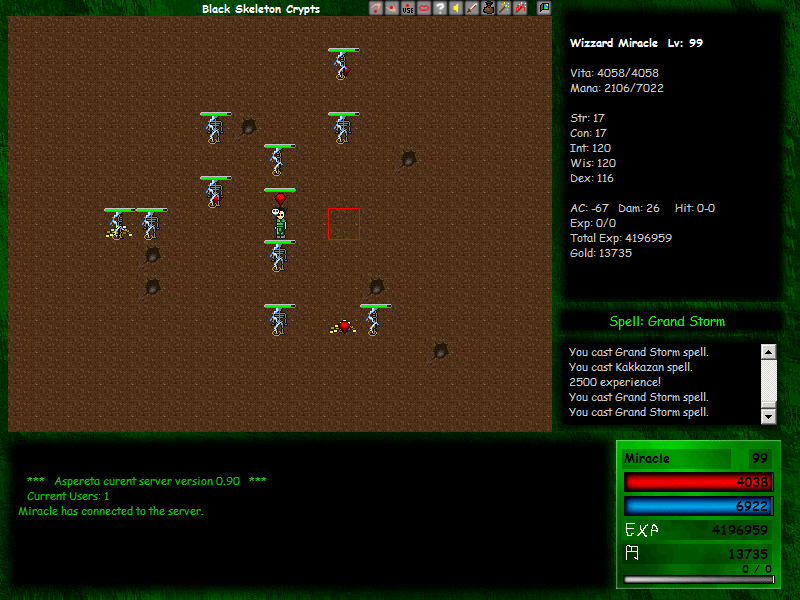
A couple of times a year, I get the itch to make a game of some sort. I don’t usually scratch it because making a game can be a lot of work. In January, I had a short trip to Europe that involved a long flight. I started looking at game development using React and React Native.
I saw a few posts on Medium and videos on YouTube that I saved locally for the flight.
I spent the flight playing with react-native-game-engine and its documentation. When I got back home, I spent some time looking into the various options for creating things with React Native. There were some tutorials for using Three, Phaser, etc. with React Native, but there wasn’t much information available on these.
With React Native, I didn’t want to spend my time learning a graphics/game library. I made a basic tilemap with multiple players rendered by react-native-game-engine, but it wasn’t quite what I wanted.
Eventually, after revisiting some resources and examples like Drew Conley - The Danger Crew: Lessons learned from building an RPG in React, Making an RPG with React + Redux, and Making an RPG with React, I settled on building everything in React. I also saw this video series about making an online RPG with a server written in node.
After a week of tinkering, I have a server that sends a Tiled map and lets players walk around, and a client that connects and renders the map.
See it in action on YouTube
Updates for this project: @lost.aeon
10 Nov 2019
For over three months, I wrote (JavaScript) code from my iPad every day. There was one exception when I had to attend a funeral. There are a few gaps on my GitHub profile from when I forgot to push code, or lost track of time in and pushed after midnight. This post is an update after a few more months of consistent usage.
As I’ve outlined before, my setup is simple. I use DigitalOcean and connect to my server with Blink. Once connected, I tmux and vim - old habits die hard. During this time, I’ve encountered a few minor annoyances, and I’ll share them here.
IME change
I map the escape key to capslock in Blink through Settings -> Keyboard -> Special Keys -> Caps as Esc. Most of the time, everything works fine, but I have Japanese and Emoji keyboards enabled, so sometimes this changes the input mode. To fix this unwanted behavior, I turned off General -> Keyboard -> Hardware Keyboard -> Switch Languages using Caps Lock.
Random Zooming
Blink randomly zoom in, just a little bit, just enough to seem off. I’m using a setting of 16px for my font, which might not be the default font size for Blink. It seems to correlate with app switching, or creating a new session. So I need to hit [Command] + [=] whenever I open Blink. When there are phantom zoomed sessions, I need to kill all mosh sessions and reconnect.
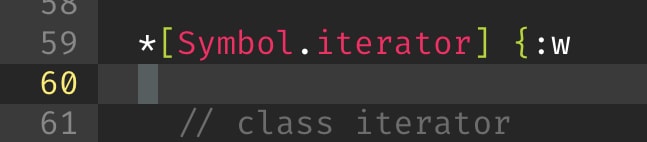
Input lags a little. Mosh smooths it out and it’s only an issue when I’m in vim, and I press [esc]:w[return] then see this:
 😢😢😢😢
😢😢😢😢
The ability to write code on an iPad is improving, and while I find myself only reaching for my laptop when I need react/redux dev tools or other advanced debugging tools, the overall experience is enjoyable.
30 Aug 2019
I have been developing a single page app from my iPad for the last four weeks trying to push something to GitHub every day. It all started because I wanted to use GraphQL more. Using GraphQL, Vue, and Onsen UI, I built something similar to the iPhone Calendar app.
Getting Started
It was challenging to get started. I wasn’t sure which tools I needed to to make the process work. I set up a server on DigitalOcean that I connect to using Mosh, and I edit my code using tmux and vim. Secure ShellFish and using Textastic as a code editor worked well too.
Once I could write code, I struggled to find a substitute for developer tools. I tried Firebug Lite, but no console output from page loading and multiple taps to load it was too much. I also struggled with Safari caching things. I discovered Inspect, and I was skeptical about buying Inspect because it didn’t have a large number fo reviews. After using it for almost a month, it checks all the boxes for me, and I found it helpful to separate Safari (documentation) and debug screen. I also acknowledge that it isn’t at the same level as Chrome’s developer tools.
When I was up and running, hot module reloading (HMR) with Vue wasn’t working, and reloading my entire app.js was slow. For HMR, I needed to allow WebSocket connections to pass through my reverse proxy (Nginx). This post helped me get going.
Results
There are three positive points about developing from the iPad.
I enjoy the focused environment of the iPad.
I always have battery and internet connectivity. (I can’t stand fiddling with pocket wifi devices, carrying them around and keeping them charged, especially on public transportation.
It’s easier to switch contexts for me than with a PC as the tools are separate from my other daily work.
It’s worth noting that I have two small children and can’t accurately predict when and where I’ll have time to work on things. I’m willing to sacrifice a little usability for speed and convenience.